

Last updated October 22, 2026: Amazon now reports PHP2Shell is being broadly exploited, Cloudflare confirmed its free firewall rules, and every server we host has the fixed PHP builds. We will keep this post updated as the story develops.
A critical PHP vulnerability, nicknamed PHP2Shell, was patched on October 21, 2026, and attackers are already using it. It can let an attacker run their own code on a web server without logging in, and it sits in PHP itself, the language that powers WordPress, WooCommerce and most of the web. If your website runs on PHP, it needs a PHP update today.
Below is what happened, how to check whether your site is affected, how to update PHP in WordPress, and what we are doing for the 260+ websites we manage.
What is the PHP2Shell vulnerability?
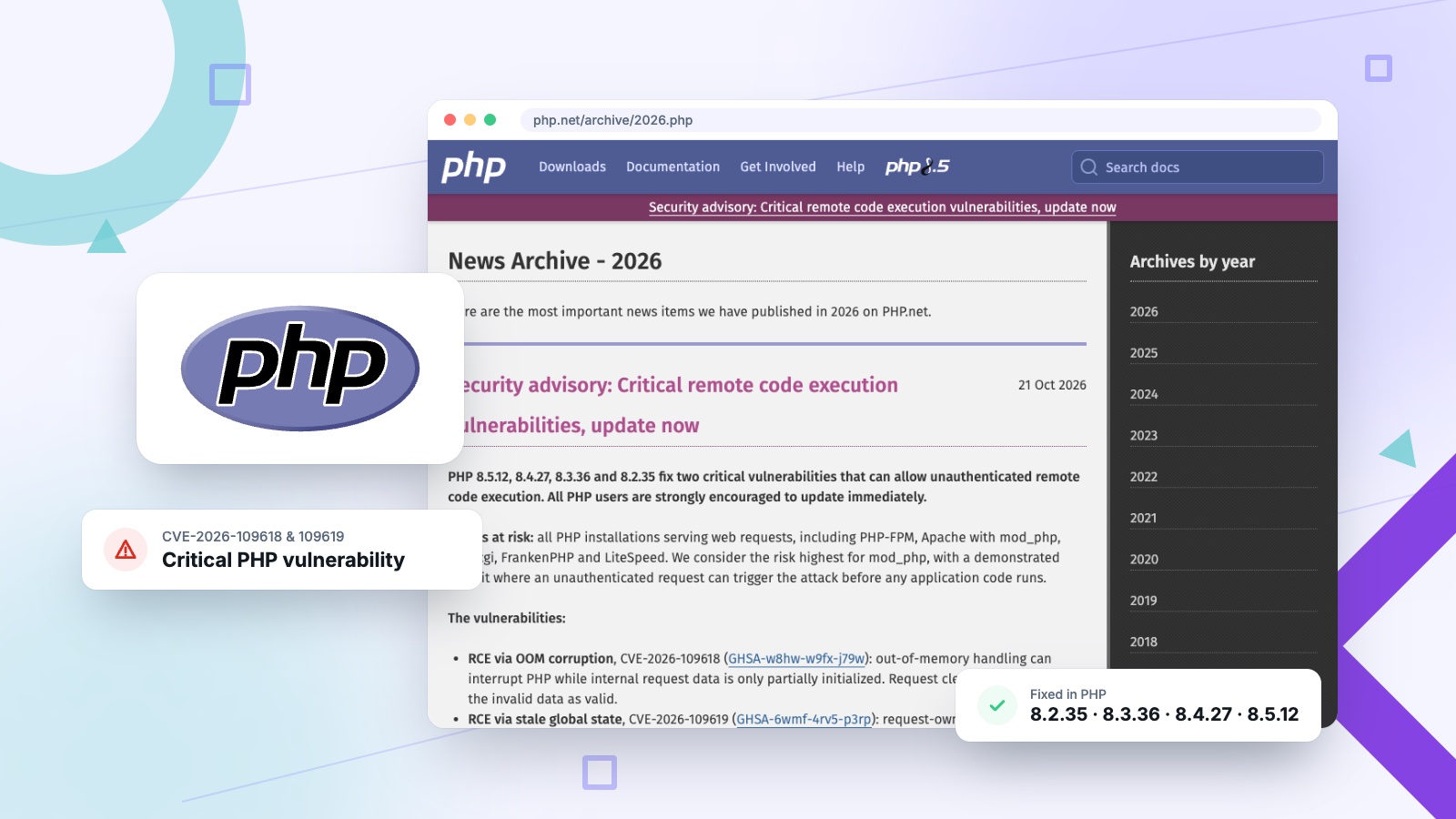
PHP2Shell is the nickname for two critical flaws in PHP, CVE-2026-109618 and CVE-2026-109619, that can let attackers run code on a web server without logging in.
The PHP security team rates both flaws 9.2 out of 10 on the CVSS v4.0 scale and fixed them in PHP 8.5.12, 8.4.27, 8.3.36 and 8.2.35. In its official security advisory, PHP says the flaws “can allow unauthenticated remote code execution” and that all PHP users are “strongly encouraged to update immediately.”
The two flaws work differently. CVE-2026-109618 (GHSA-w8hw-w9fx-j79w) happens when PHP runs out of memory partway through setting up a request, and the cleanup step then trusts data that was never finished. CVE-2026-109619 (GHSA-6wmf-4rv5-p3rp) leaves leftover data from one request behind after its memory is freed, so the next request on the same worker can pick it up.
The fix came out a day early. The details leaked on October 20, when a post on Hacker News claimed the disclosure was coming that Thursday. Security firm watchTowr confirmed the leak was real, and PHP moved the release up to October 21 at 14:00 UTC, according to Huntress and The Hacker News. Researchers at Calif and Wiz Research had reported the bugs to PHP in August, per Sansec’s timeline. The PHP2Shell name comes from the security community, not from PHP.
Is my WordPress site affected by the PHP vulnerability?
Almost certainly, if your site runs on PHP and hasn’t been updated today. WordPress, WooCommerce, Drupal, Joomla and Magento sites are all exposed through the server’s PHP.
The problem is in PHP itself, so it doesn’t matter how clean or up to date your plugins are. PHP’s advisory says the risk covers “all PHP installations serving web requests,” including PHP-FPM, Apache with mod_php, php-cgi, FrankenPHP and LiteSpeed. It calls the risk highest for Apache’s mod_php, where a demonstrated exploit works before any of your site’s own code even runs. Patchstack reports that Wiz Research showed a working attack against the latest WordPress container images, and Sansec says the flaws affect every web server running PHP 5.4 or later.
Here are the versions that fix it:
| PHP version | Fixed in | Status |
|---|---|---|
| PHP 8.5 | 8.5.12 | Supported, update now |
| PHP 8.4 | 8.4.27 | Supported, update now |
| PHP 8.3 | 8.3.36 | Supported, update now |
| PHP 8.2 | 8.2.35 | Supported until December 31, 2026, update now |
| PHP 8.1 and older | No official release | End of life. Move to a supported version or get a backported fix from your host |
If your site still runs PHP 8.1, 8.0 or 7.4, there is no official release to update to. PHP no longer supports those versions. The PHP team did publish minimal source fixes for 7.4, 8.0 and 8.1 for people who build PHP themselves, and some Linux vendors backport fixes, but the safe move is to upgrade to PHP 8.3 or newer. WordPress itself recommends PHP 8.3 or greater.
Is PHP2Shell the same as WP2Shell?
No. WP2Shell was a WordPress flaw fixed in July 2026 by WordPress 6.9.5 and 7.0.2. PHP2Shell is in PHP itself, so no WordPress update can fix it.
The names are close, and search results mix them up. WP2Shell (CVE-2026-63030 and CVE-2026-60137) was a pair of bugs in WordPress core that BleepingComputer reported on July 18, 2026. The WordPress security team pushed forced automatic updates to fix it. PHP2Shell (CVE-2026-109618 and CVE-2026-109619) lives in PHP, the server software underneath WordPress, and the fix is a new PHP release installed by your host.
So a dashboard showing WordPress 7.0.2 or newer means you are covered for WP2Shell, but it says nothing about PHP2Shell. Check your PHP version separately, as shown below.
Is PHP2Shell being exploited right now?
Yes. Amazon says PHP2Shell is now being broadly exploited in the wild, and it spotted an attack attempt on October 17, four days before the fix was public.
Amazon’s threat intelligence team found that October 17 attempt in its honeypot data while the flaw was still secret. Proof-of-concept exploits then appeared around 02:00 UTC on October 21, hours before PHP’s release, and more were published within hours of the patch. In Amazon’s own words, “PHP2Shell is now being broadly exploited in the wild.” Amazon also says it doesn’t yet know whether any of those attempts succeeded.
Earlier reports from the day of the release:
- Patchstack logged “multiple active exploitation incidents” reported by hosting partners on the morning of October 21. By 13:57 UTC its own data showed “only probing attacks, with no hard evidence of breaches yet.”
- Sansec reports that Cloudflare saw early attacks against PHP sites on October 21. Cloudflare says its firewall rules went live at 03:02 UTC that day, about nine hours before the flaws were made public, on every plan including free. Cloudflare’s CTO called those rules a stopgap.
- Huntress had not seen exploitation in its partners’ environments as of October 20, and The Hacker News noted the flaws were not yet in CISA’s Known Exploited Vulnerabilities catalog.
Sansec put it plainly: “We expect mass exploitation now that the patch and the writeups are public.” The UK’s National Cyber Security Centre is urging organizations to act immediately, and Help Net Security and Forbes are carrying the same warning. Attacks have started, so treat any unpatched site as at risk today.
How do I update PHP in WordPress?
Check your PHP version under Tools, Site Health, Info, Server in WordPress, then update PHP through your hosting account or ask your host to do it today.
WordPress can’t update PHP by itself. PHP runs on the server, so the update happens at your hosting company. To update PHP in WordPress safely:
- Find your PHP version. In your WordPress dashboard, go to Tools, then Site Health, then the Info tab, and open the Server section. WordPress’s Site Health documentation shows where this lives.
- Compare it with the table above. Anything below 8.2.35, 8.3.36, 8.4.27 or 8.5.12 needs the update. Version 8.1 or older needs a move to a supported version.
- Back up your site before you change anything, including the database.
- Update PHP at your host. Most hosting dashboards have a PHP version setting. If yours doesn’t, or the fixed version isn’t offered yet, contact your host and ask when they will install the October 21 security release. Our step-by-step guide to updating PHP in WordPress has the exact menus for GoDaddy, Bluehost, SiteGround and other major hosts.
- Test the site. Load the home page, log in, and submit a form. Moving up a major version can break an old plugin, so check the pages that matter most.
One catch: a version number alone doesn’t always tell you whether you’re patched. Some Linux distributions backport security fixes into older version numbers, so if your host uses distribution packages, ask them directly whether the fix for CVE-2026-109618 and CVE-2026-109619 is installed.
What if I can’t update PHP right away?
PHP lists a few settings that reduce the risk, but says they “do not make an installation safe.” Updating is the only real fix, so treat any workaround as a few hours of cover.
The PHP advisory lists partial measures for server administrators, such as turning off session.upload_progress.enabled, lowering post_max_size and changing how the memory limit is set. Some of these can break file uploads or let one request use all of a server’s memory, so they are a job for whoever runs your server. They are not something to paste into a plugin.
A few other options buy time:
- Cloudflare. Cloudflare turned its protection on automatically for every plan with its firewall, including the free plan, and it still tells customers to update PHP. The rules help only if your server accepts traffic exclusively from Cloudflare, Patchstack notes. If someone can reach your server directly, the rules can be skipped.
- Take a high-risk site offline. For an online store or a site holding customer data, a static maintenance page until the patch is in is the safest choice. Sansec warns that WordPress’s built-in maintenance mode does not help, because the attack happens in PHP before WordPress runs.
- Skip “fix” plugins and copied code snippets. Patchstack specifically warns against unofficial fixes. The flaw is in PHP, so nothing inside WordPress can patch it.
How can I tell if my site was hacked through PHP2Shell?
Look for server errors you can’t explain, unknown files or admin users, new scheduled tasks, and redirects or spam pages. If you find any of these, treat the site as hacked.
Huntress, Sansec and Patchstack describe these warning signs:
- File uploads or form posts followed by memory-limit errors or a run of 500 errors
- Unusually large or malformed
PHPSESSIDcookies in your logs - PHP workers restarting for no clear reason
- Form uploads in your server logs (POST requests) that contain the text
PHP_SESSION_UPLOAD_PROGRESS, the pattern Amazon tells defenders to search for - New files in your site folders, especially PHP files you didn’t add (often a “webshell” that gives the attacker a back door)
- New cron jobs or scheduled tasks, and admin accounts nobody created
If you see signs of a break-in, update PHP anyway, keep your server logs, and change every password and key the site holds: WordPress admins, database, hosting and any connected services. Then have the site properly cleaned. Restoring a backup only works if that backup was made before the attack. We cover how cleanups work, what they cost and why the cheap ones often miss things in our guide to fixing a hacked WordPress site.
What is Snazzy Solutions doing about PHP2Shell?
Every server we host had the fixed PHP builds installed by 17:52 UTC on October 21, less than four hours after PHP’s release. We manage 260+ websites through our own hosting and agency partners.
We started checking every server within minutes of PHP’s release, so we knew which PHP version each site ran. We installed PHP 8.2.35, 8.3.36 and 8.4.27 as each package source published them, then restarted PHP so no site kept running the old code. On October 22 we checked again: none of the 363 PHP processes running across our servers was still on a vulnerable build.
When can your host actually install the fix?
Most web hosts don’t build PHP themselves. They install it from a package source, and the fix can’t go on a server until that source publishes it. We have been tracking the two sources most of our servers use:
| Package source | Used by | Fixed builds published |
|---|---|---|
| Ondřej Surý’s PHP PPA | Many Ubuntu servers running Nginx or Apache | October 21, 14:45 UTC, 45 minutes after PHP’s release (PHP 8.2.35, 8.3.36, 8.4.27 and 8.5.12) |
| LiteSpeed’s lsphp repository | Servers running LiteSpeed or OpenLiteSpeed | October 21. We had the new builds (8.2.35, 8.3.36 and 8.4.27) installed by 17:05 UTC. At 15:48 UTC the newest builds there were still 8.3.35, 8.4.26 and 8.5.11, which are vulnerable |
So if your host runs LiteSpeed and says it is still waiting on the update, that is no longer true. The fixed lsphp builds have been out since October 21. Ask them to confirm the update is installed today, and lean on the temporary measures above until it is. You can see the PPA’s published versions on its Launchpad page.
If we host your website, directly or through one of our agency partners, you don’t need to do anything. We are handling it.
If your site is hosted somewhere else, ask your host today whether the October 21 PHP security release is installed. If you aren’t sure, or you think your site has already been hacked, send us a message. We clean hacked WordPress sites, update PHP safely, and can move you onto hosting we manage so the next emergency patch isn’t your job.
PHP2Shell FAQ
Does updating WordPress fix the PHP vulnerability?
No. The flaw is in PHP, the software your server uses to run WordPress, so the fix is a PHP update at your host. Keep WordPress and your plugins updated too, but that alone won’t close this hole.
Can a security plugin protect my site from PHP2Shell?
No plugin can patch PHP itself. The attack can happen before WordPress or any plugin loads. Firewall services in front of your server, like Cloudflare, can block known attack patterns for a while, but the PHP update is the real fix.
Is PHP 8.1 safe from this vulnerability?
No. PHP 8.1 and older are affected and no longer get official updates. Some hosts backport the fix, but the safest move is upgrading to PHP 8.3 or newer and testing your site afterwards.
How do I check my site’s PHP version in WordPress?
In your WordPress dashboard, go to Tools, then Site Health, then the Info tab, and open the Server section. The PHP version is listed there. Your hosting dashboard usually shows it as well.
Does Cloudflare protect my site from PHP2Shell?
Partly. Cloudflare turned on firewall rules for PHP2Shell automatically on every plan, including free. They only help when all traffic reaches your server through Cloudflare, and Cloudflare itself says you still need to update PHP.
Should I take my website offline until it’s patched?
For most small business sites, pushing your host to update PHP today is enough. If you run an online store or hold customer data and can’t get the update quickly, a static maintenance page until the patch is in is the safest choice.
What should you do today?
Check your PHP version, get it updated, and look for signs of a break-in. With your host’s help it is usually a short job, and it closes a critical hole that attackers already know about.
If you’d rather hand it off, talk to us. We’ll check your site, tell you what we find, and fix it.