
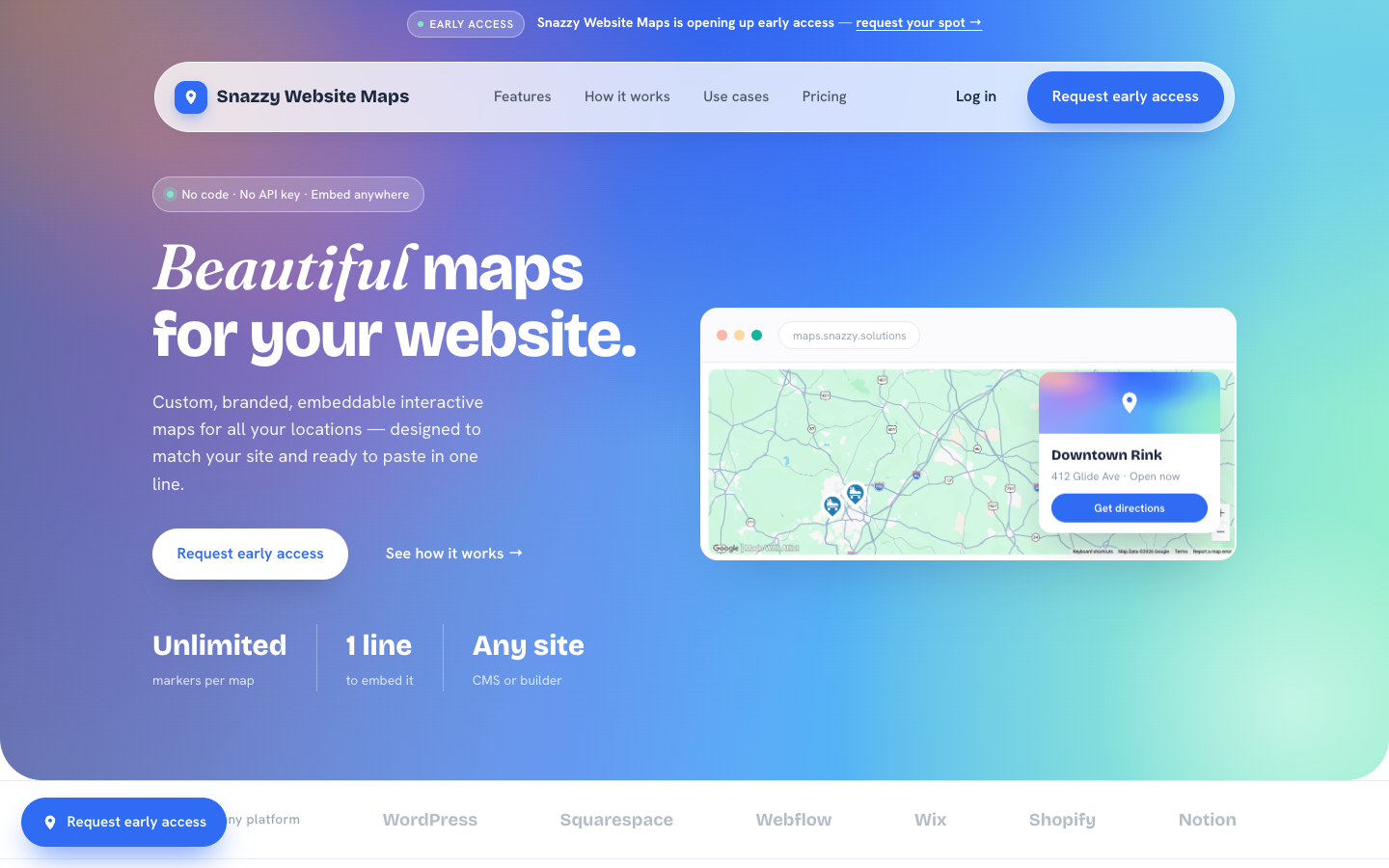

We build a lot of websites, and the same problem kept coming up. A client has more than one location, a service area, or a list of places they want people to find, and the easy options are all bad. A plain gray Google Maps embed looks nothing like the site, and a bulleted list of addresses makes the visitor do all the work. So we built our own tool. Today we are opening early access to Snazzy Maps, the easiest way to create a custom Google map, brand it, and embed it on your website in one line of code, with or without a Google API key.
Before we get into what it does, it is worth saying why a map is one of the most useful things you can put on a location page. This is not decoration. Done right, it brings in more customers.
Why a custom Google map on your website brings in more customers
Most location pages get one thing wrong. When someone lands on your site, they are not reading it like a brochure. They are looking for one answer: is there one near me, and how do I get there. A map answers that in about two seconds. A list of addresses does not.
The map on your website is half of it. The other half is your listing in Google Maps itself, and if that is missing, see why your business isn’t showing on Google Maps and how to fix it.
Picture what a visitor actually does with a wall of text addresses. They scan for a city they recognize, try to work out which branch is closer, maybe copy an address into another tab to check the drive. Every one of those little steps is a chance to give up. A map does that thinking for them. They see the pins, spot the closest one, and tap for directions. You have moved someone from browsing to on their way, which is the whole point of the page.
This matters most on phones, where most local searches happen. Someone searching for a service in their town is close to ready. Google has found that a large share of people who run a nearby search visit or contact a business the same day. If your page makes the next step easy, a tap to call, a tap for directions, a tap to book, you catch that intent while it is hot. If it makes them hunt, you hand it to the competitor whose map loaded first.
There is a trust piece on top of that. A branded, interactive map looks like you invested in your website. A gray Google box or a bare list of addresses looks like you ran out of time. When you are asking someone to walk in, hand over a card, or book an appointment, that first impression is part of the sale. A map that matches your brand and works the second the page loads tells people you are the real thing.
What Snazzy Maps does
Snazzy Maps takes your locations and turns them into a clean, branded, interactive map. You set the colors, the pins, and what each pop-up says, then copy one embed snippet onto your site. There are no plugins to install and no API keys to wrangle. It works on WordPress, Squarespace, Webflow, Wix, Shopify, and anywhere else you can paste an iframe.
The whole point is that the map should look like part of your website, not like a Google screenshot someone pasted in. You get custom pins, filters, search, and pop-ups with photos and buttons, all styled to your brand and all pointed at the next action you want a visitor to take.
See it in action: 50+ dental offices on one map
Here is a real one. Lane & Associates Family Dentistry runs more than fifty offices across North Carolina, split between oral surgery, orthodontics, and sleep health. Picture that as a bulleted list of fifty addresses. Nobody is scrolling that, and nobody is doing the mental math on which office is closest. On a map, a patient finds the nearest one and taps for directions in seconds. We put every location on a single Snazzy Map, color-coded by service, with clustering so it stays readable whether you are zoomed out to the whole state or into one town.
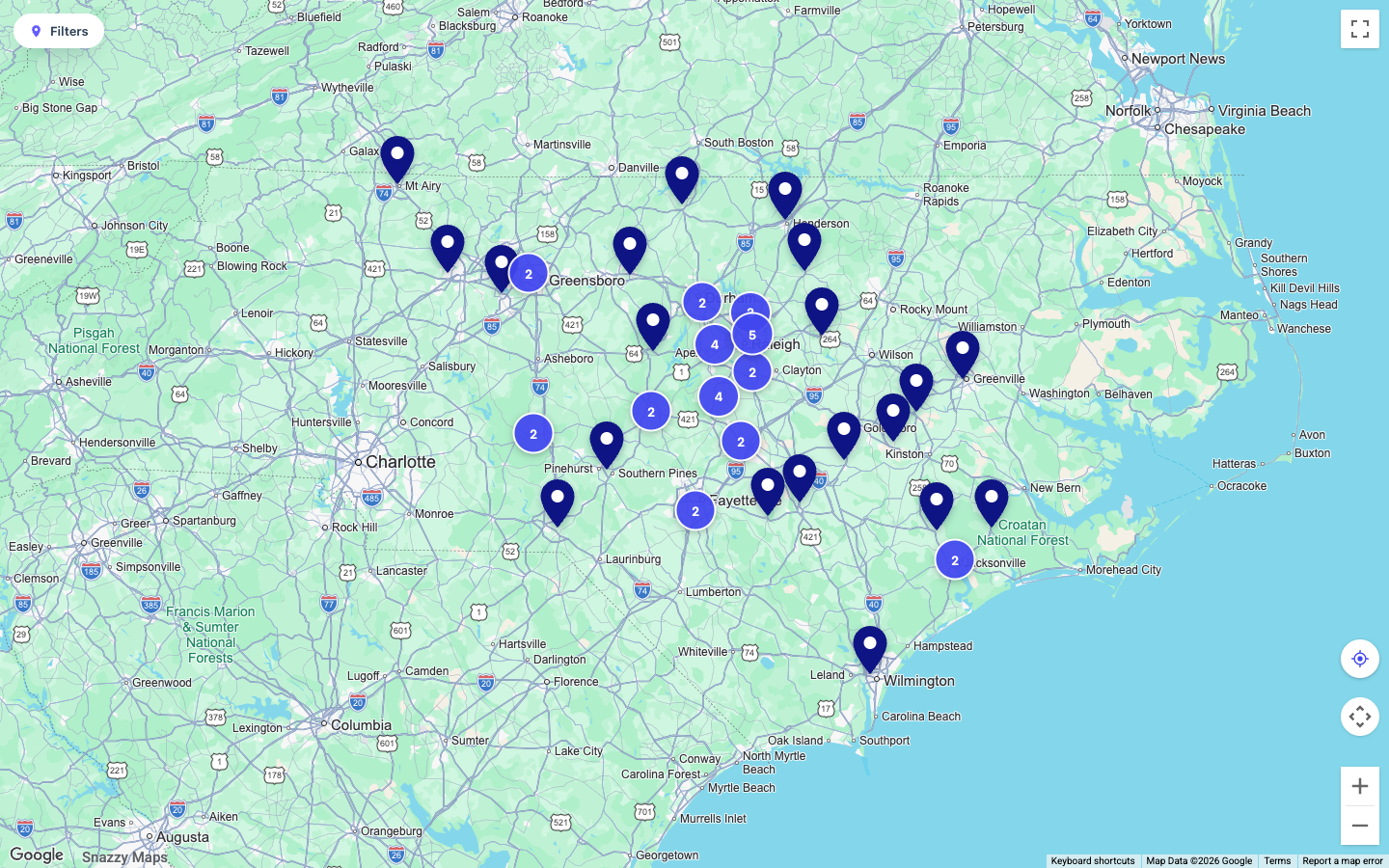
That map is live on their site right now. Open the Lane & Associates offices page to drag it, zoom in, and click a pin. Same brand colors, same fonts, no gray Google box in sight.
What you can build
If it has markers, you can build it. A store locator, a set of service areas, real estate listings, event venues, a travel itinerary, or a campus guide all work the same way. A few of the features people ask for most:
- Branded pins in your colors, with your own logo or icon, plus numbered or lettered markers
- Pop-ups with photos, hours, descriptions, and call-to-action buttons that link to directions, a booking page, or anywhere you want
- Search and filtering, so visitors can find a location by name or narrow the map by category
- Marker clustering that keeps thousands of pins tidy and expands as people zoom in
- Live location, so each visitor can see where they are and find the nearest spot
- Spreadsheet sync from a CSV or a Google Sheet, so new rows show up on the map automatically
- Password protection for internal or client maps you do not want public
On styling, you are not stuck with the default look. If you have ever used Snazzy Maps at snazzymaps.com, the free library of community Google Maps styles that designers have leaned on for years, you already know how good a well-styled map can look. We are building a direct integration with it, so you will be able to pull one of those thousands of styles straight into your map. That is coming soon. In the meantime, our guide to Snazzy Maps styles covers how to find one and use it.
Who gets the most out of it
Any business with a “find us” problem benefits, but a few types get an outsized return:
- Multi-location healthcare, dental, and clinic groups, where the first question is always “which office is closest to me”
- Restaurants, franchises, and retail chains that need a real store locator instead of a page of addresses
- Real estate teams putting listings, communities, or open houses on a map buyers can explore
- Home services with a service area, so you can show the region you actually cover instead of a single office pin
- Gyms, studios, dealerships, and anyone whose customers pick a location before they pick a time
- Events and venues that need people to find the entrance, the parking, and the right building
The common thread is simple. If a visitor has to figure out where you are before they can act, a map removes that step, and removing steps is how you turn visits into calls, bookings, and walk-ins.
Google Maps or OpenStreetMap, and why that saves you money
Here is a cost problem most people do not run into until the bill shows up. Google Maps Platform gives you a monthly free allowance and then charges per map load after that. On a quiet brochure site you may never notice. On a busy store locator that thousands of people open every month, those loads add up, and most map plugins and widgets pass that cost to you with their own markup stacked on top.
We will be straight with you: map views do carry a cost, because that is how Google works. Google bills per map load, so anyone showing you a Google-powered map is paying for those loads somewhere. What Snazzy Maps does is give you two ways to shrink that bill instead of hiding it. Connect your own Google Maps API key and any usage is billed straight to you at Google’s published rates, with no markup from us. Or skip Google entirely.
Every Snazzy Map has an OpenStreetMap fallback built in. OpenStreetMap is a free, open map of the world built and kept up to date by a huge community of contributors, a bit like the Wikipedia of maps. If you never add a Google key, or Google is ever unreachable for a visitor, the map falls back to OpenStreetMap and keeps working. No broken tiles, no error, and for a lot of sites, no per-view cost at all. Your map stays up either way, which is more than you can say for a single hard-wired Google embed.
How it compares to the usual options
There are really three ways to put a map on your site today. Here is how they stack up.
| Plain Google embed | Store locator plugin | Snazzy Maps | |
|---|---|---|---|
| Matches your brand | No, a gray default box | Only with setup and CSS work | Yes, styled to your site |
| Setup | Paste an iframe | Install, configure, keep updated | One line, no plugin |
| Many locations, filters, search | Clunky at best | Usually yes | Yes, with clustering and filters |
| Works without a Google key | No | Usually no | Yes, OpenStreetMap fallback |
| Charges per location | No | Often, or tiered by count | Never |
| Where it works | Any site | Usually one platform | Any site or builder |
| Who maintains it | You | You, plus update and conflict risk | Hosted, nothing to maintain |
Can you embed a Google map on a website without an API key?
Yes. With Snazzy Maps you embed a custom map with one line of HTML and no Google API key, because the map falls back to OpenStreetMap when there is no key.
The usual way to embed a Google map on a website is the Maps Embed API: you create an API key in Google Cloud, build an embed URL, and drop it into an iframe. It works, and the basic embed is free, but you get the plain gray Google box, one pin, and no branding. The moment you want custom pins, more than one location, or a look that matches your site, you are into the JavaScript API, per-load billing, and code.
Snazzy Maps skips that. You add your locations, style the map, copy one iframe line, and paste it into any page. If you never add a Google key, the map runs on OpenStreetMap and costs nothing per view. If you want Google’s basemap, connect your own key and pay Google directly. Either way the embed is the same one line, so a free custom map and a Google-powered one are a setting apart, not a rebuild.
How to embed a custom Google map on your website in three steps
- Add your locations. Drop pins, paste addresses, or import a spreadsheet.
- Make it yours. Pick a map style, set your brand colors, and design the markers and pop-ups.
- Paste one snippet. Copy the embed code onto any page. That is the entire install.
The embed is one line:
<iframe src="https://maps.snazzy.solutions/map/your-id" width="100%" height="480" frameborder="0"></iframe>Pricing and early access
One flat rate of $25/month covers every feature, every map, and unlimited locations. The only thing that changes is who bills your map views, you through your own Google key, or us. We are in early access right now, and the launch rate is locked in for people who join early. You can request your spot at maps.snazzy.solutions.
Frequently asked questions
Is an interactive map really better than just listing our addresses?
For most sites, yes. A list makes the visitor figure out which location is closest and how to get there. A map shows them at a glance and gives them one tap to directions or to call. Fewer steps between “I found you” and “I am on my way” means more of those visits actually happen. The more locations you have, the wider that gap gets.
Do I need a Google Maps API key, and will it cost me per view?
You do not have to. Snazzy Maps has an OpenStreetMap fallback built in, so the map works with no key at all. If you want Google’s basemap, you can connect your own Google Maps key and pay Google directly at their published rates, with no markup from us. If you would rather not deal with keys, we host it for you.
How much does it cost to embed Google Maps?
Google Maps Platform gives you a monthly free allowance, then charges per map load after that, so a busy site can run up a real bill. Snazzy Maps does not mark that up. Use your own Google key and you pay Google directly at their rates, or switch to the OpenStreetMap fallback and pay nothing per view.
What is OpenStreetMap, and is it good enough?
OpenStreetMap is a free, open map of the world maintained by a large community of contributors, a bit like the Wikipedia of maps. For most business maps it is more than good enough, and it means your map keeps working with no Google key and no per-view cost. You can start on OpenStreetMap and switch to Google later, or the other way around.
Where can I put the map?
Anywhere you can paste a line of HTML. It works on WordPress, Squarespace, Webflow, Wix, Shopify, Notion, and hand-coded sites. There are no plugins to install and nothing to maintain.
How many locations can I add?
As many as you need. Unlike a lot of platforms, we do not charge per location, so a single map can hold one pin or thousands for the same flat price, and clustering keeps it readable at any zoom. Lane & Associates runs more than fifty offices on one map without it feeling crowded.
Does adding a map help my SEO?
It helps in the ways that matter. A map keeps people on the page longer and pointed at your locations, which is good for engagement and for the local signals search engines read. It is not a magic ranking switch on its own. The bigger, more reliable win is conversions, more of the people who already found you taking the next step.
Can you build the map for us?
Yes. Snazzy Maps came out of our own web design work, so we can set up the map, style it to your brand, add your locations, and drop it onto your site. Get in touch and tell us what you need.
How do I create a custom Google map for free?
Add your locations in Snazzy Maps, pick your colors and pins, and copy the embed line. With no Google key attached the map runs on OpenStreetMap, so there is no per-view cost. Google’s own My Maps is also free, but it cannot be branded or embedded with custom pins the same way.
Can I embed a Google map in HTML without an API key?
Yes. Paste the one-line Snazzy Maps iframe into your HTML and it works with no API key, falling back to OpenStreetMap. Google’s basic Maps Embed iframe also works without a key for a single plain pin, but anything custom needs a key and the JavaScript API.
Want us to build it for you?
Snazzy Maps came out of our own web design work, so if you would rather hand the whole thing off, we can build the map, style it to your brand, and drop it onto your site for you. Get in touch and tell us about your locations, or if you need the site to go with it, we can build your website too.