

Your website is the first thing most customers see. And if it looks like it hasn’t been updated since 2019, that first impression isn’t working in your favor.
A website redesign isn’t just about making things look prettier. It’s about building a site that actually works — one that loads fast, shows up in Google, and turns visitors into paying customers. Whether your site feels outdated, your bounce rate is climbing, or you’re just embarrassed to put the URL on your business card, this guide walks you through everything you need to know about redesigning your small business website in 2026.
What Is a Website Redesign?
A website redesign is a complete overhaul of your existing website’s design, structure, content, and sometimes the underlying platform. Unlike a simple update (swapping a photo or changing your phone number), a redesign rethinks how your entire site looks, functions, and performs.
Think of it like renovating a house. A website refresh is repainting the walls. A website redesign is knocking down walls, reconfiguring rooms, and bringing everything up to code.
A typical redesign includes:
- New visual design — updated colors, typography, images, and layout
- Improved user experience (UX) — better navigation, clearer calls-to-action, mobile-first design
- Updated content — rewritten copy that speaks to your current customers
- Better SEO — proper page titles, meta descriptions, heading structure, and site speed
- Modern technology — faster hosting, current CMS, security updates
10 Signs Your Website Needs a Redesign
Not sure if it’s time? Here are the signs we see most often when small business owners come to us for website redesign services:
1. Your Site Isn’t Mobile-Friendly
Over 60% of web traffic comes from mobile devices. If your website doesn’t look and function well on a phone, you’re losing more than half your potential customers before they even see what you offer. Google also uses mobile-first indexing, meaning your mobile experience directly affects your search rankings.
2. It Takes More Than 3 Seconds to Load
Google’s own research shows that 53% of mobile users leave a site that takes longer than 3 seconds to load. If your site is slow, you’re hemorrhaging traffic. Slow sites also rank lower in search results — it’s a double hit.
3. Your Bounce Rate Is Over 70%
A high bounce rate means visitors land on your site and immediately leave. This could be because of slow loading, confusing navigation, outdated design, or content that doesn’t match what they were searching for. All of these are problems a redesign solves.
4. Your Design Looks Dated
Web design trends evolve fast. If your site still has a cluttered sidebar, tiny text, stock photos with watermarks, or that “designed in 2015” look, visitors will assume your business is equally outdated. First impressions happen in 0.05 seconds — and design drives 94% of those impressions.
5. You Can’t Update It Yourself
If making a simple text change requires calling your developer (or you’ve just stopped updating because it’s too hard), your site is holding your business back. A modern redesign should include a content management system that lets you make basic updates without touching code.
6. It Doesn’t Show Up in Google
If you search for your main service + your city and you’re nowhere on the first page, your website has an SEO problem. A proper website redesign with SEO built in from the start can dramatically improve your visibility. We’ve seen clients go from invisible to page one within 3-4 months of launching a redesigned site.
7. Your Competitors’ Sites Are Better
Search for your top 3 competitors right now. If their websites look more professional, load faster, and rank higher than yours, they’re winning customers that should be yours. A redesign closes that gap.
8. You’ve Changed Your Business
If you’ve added services, changed your target market, rebranded, or expanded to new locations since your website was built, your site no longer represents who you are. Your website should reflect your business today, not your business three years ago.
9. It’s Not Generating Leads
Your website should be your best salesperson — working 24/7, qualifying leads, and making it easy for people to contact you. If you’re getting traffic but no calls, emails, or form submissions, your site has a conversion problem that a redesign can fix.
10. It’s Not Secure
If your site doesn’t have HTTPS (the padlock icon in the browser), uses an outdated CMS version, or has been hacked before, it’s a liability. Google flags non-HTTPS sites as “Not Secure,” which kills trust instantly. Outdated WordPress installations are the #1 target for hackers. A redesign gets you on solid, secure ground.
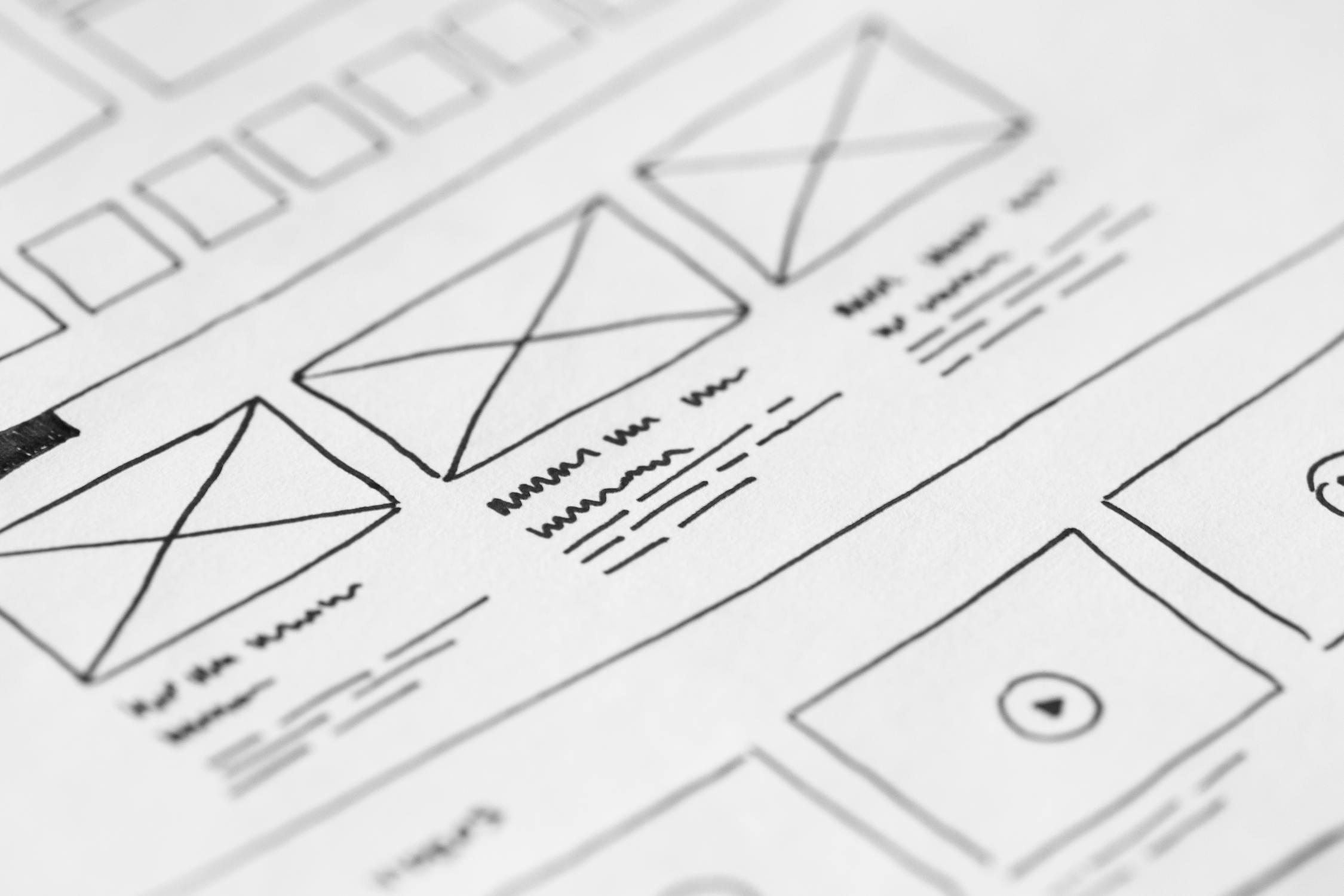
Website Redesign vs. Website Refresh
Before committing to a full redesign, it’s worth understanding the difference:
| Factor | Website Refresh | Website Redesign |
|---|---|---|
| Scope | Cosmetic changes (colors, images, minor layout tweaks) | Complete structural, visual, and content overhaul |
| Timeline | 1-2 weeks | 4-12 weeks |
| Cost | $500 – $2,000 | $3,000 – $15,000+ |
| Platform change | Same CMS | May migrate to a new CMS |
| SEO impact | Minimal (same URLs, same structure) | Significant (new URLs, new content, 301 redirects needed) |
| Content | Minor copy edits | Full content rewrite |
| Best for | Sites that work but look tired | Sites that aren’t performing at all |
Rule of thumb: If your site’s structure and content are solid but the design feels stale, a refresh might be enough. If your site is slow, doesn’t rank, doesn’t convert, or runs on outdated technology, you need a full redesign.
The Website Redesign Process: Step by Step
Here’s what a professional website redesign actually looks like from start to finish. Whether you hire an agency or go the DIY route, these steps should happen in roughly this order:
Step 1: Audit Your Current Site
Before building anything new, you need to understand what’s working and what isn’t on your current site. This means:
- Checking Google Analytics for your most-visited pages (keep these)
- Running a site speed test (Google PageSpeed Insights is free)
- Identifying which pages rank in Google (don’t accidentally delete these)
- Reviewing your current content for accuracy
- Listing every URL on your site (you’ll need this for redirects later)
Step 2: Define Your Goals
What should your redesigned website accomplish? Common goals include:
- Generate more leads (phone calls, form submissions, emails)
- Rank higher in Google for specific keywords
- Reduce bounce rate and increase time on site
- Support new services or locations
- Improve mobile experience
- Build credibility and trust
Write these down. Every design decision should tie back to at least one goal.
Step 3: Research Your Competition
Look at the top 5 websites in your industry in your area. What do they do well? What’s missing? Where can you differentiate? This isn’t about copying — it’s about understanding what customers in your market expect to see.
Step 4: Plan Your Site Structure
Map out every page your new site will have. A typical small business website includes:
- Homepage
- About / Our Story
- Services (with individual subpages for each service)
- Portfolio / Work Examples
- Testimonials / Reviews
- Blog
- Contact
- Location pages (if you serve multiple areas)
Step 5: Write Your Content First
This is where most redesigns go wrong. People design the site first and try to fill in content later, ending up with “Lorem ipsum” placeholder text that sometimes even goes live. Write your content before you design. The design should serve the content, not the other way around.
Step 6: Design and Build
Whether you’re using WordPress, Shopify, Squarespace, or a custom build, this is where the visual design comes together. Key priorities:
- Mobile-first design (design for phones first, then scale up)
- Fast loading (under 3 seconds on mobile)
- Clear calls-to-action on every page
- Consistent branding (colors, fonts, tone)
- Accessibility (alt text on images, readable fonts, sufficient contrast)
Step 7: SEO Setup
Before launching, make sure every page has:
- A unique, keyword-rich title tag
- A compelling meta description
- Proper heading hierarchy (one H1 per page, H2s for sections)
- Internal links to related pages
- Schema markup (especially LocalBusiness for local businesses)
- 301 redirects from all old URLs to their new equivalents
Step 8: Test Everything
Before going live, test your site on:
- Multiple browsers (Chrome, Safari, Firefox, Edge)
- Multiple devices (phone, tablet, desktop)
- Different screen sizes
- All forms and contact methods
- Every internal and external link
- Page speed (aim for under 3 seconds)
Step 9: Launch and Monitor
After launching, submit your new sitemap to Google Search Console, monitor for crawl errors, and watch your analytics closely for the first 30 days. Some ranking fluctuation is normal — Google needs time to re-crawl and re-index your site.
How Much Does a Website Redesign Cost?
This is the question everyone asks first. Here’s what website redesign pricing actually looks like in 2026:
| Type of Redesign | Price Range | What You Get |
|---|---|---|
| DIY (Squarespace, Wix) | $200 – $600/year | Template-based, limited customization, you do the work |
| Freelance Designer | $1,500 – $5,000 | Custom design, may or may not include SEO, variable quality |
| Local Agency | $3,000 – $15,000 | Full-service: strategy, design, development, SEO, content |
| Large Agency | $15,000 – $50,000+ | Enterprise-level, complex features, extensive custom development |
The average cost for a website redesign for a typical small business (5-15 pages, WordPress or similar CMS) falls between $3,000 and $8,000. That includes strategy, design, development, content migration, basic SEO setup, and launch support.
What drives the cost up:
- E-commerce functionality — adding a store adds $2,000-$10,000
- Custom features — booking systems, client portals, calculators
- Content creation — professional photography, copywriting, video
- Number of pages — 5-page site vs. 50-page site
- Platform migration — moving from one CMS to another adds complexity
What matters more than price: Don’t choose your redesign partner based on who’s cheapest. Choose based on who understands your business, can show you results they’ve gotten for similar clients, and will build a site that actually generates revenue. A $3,000 website that brings in $50,000 in business is a better investment than a $500 website that sits there doing nothing.

How to Preserve Your SEO During a Website Redesign
This is where most redesigns cause damage. You’ve spent years building whatever search rankings you have. A careless redesign can destroy them overnight. Here’s how to protect your SEO during a website redesign:
1. Document Every Existing URL
Before changing anything, create a complete list of every URL on your current site. Use a tool like Screaming Frog (free for up to 500 URLs) or simply check your Google Search Console sitemap. This is your redirect map.
2. Set Up 301 Redirects
Every old URL that changes must have a 301 (permanent) redirect pointing to its new location. If your old services page was at /our-services and the new one is at /services/, set up a redirect. If you skip this, Google shows a 404 error, you lose whatever ranking that page had, and anyone who bookmarked it gets a dead link.
3. Keep URLs the Same When Possible
The simplest way to preserve SEO is to not change URLs at all. If your blog post lives at /blog/website-tips/, keep it there. Only change URLs when there’s a good structural reason.
4. Don’t Delete High-Performing Pages
Check Google Search Console and Analytics before removing any page. That “old blog post” you want to delete might be driving half your organic traffic. We’ve seen businesses lose 40-60% of their traffic overnight because they deleted pages during a redesign without checking their analytics first.
5. Preserve (and Improve) Your Content
Google ranks pages, not websites. If a page ranks for a keyword, it’s because of the content on that page. Don’t throw out content that’s working. Improve it — add more depth, update statistics, improve readability — but don’t start from scratch unless the content is genuinely bad.
6. Maintain Your Heading Structure
Every page should have exactly one H1 tag (your main keyword/topic) and use H2s and H3s for sections and subsections. Many redesigns break heading hierarchy by using heading tags for visual styling instead of content structure.
7. Submit Your New Sitemap
After launching, submit an updated XML sitemap to Google Search Console. This tells Google to re-crawl your site and index the new pages. Monitor the Coverage report for any errors in the following weeks.
Website Redesign Checklist
Use this checklist to make sure nothing falls through the cracks:
Before You Start
- Audit current site performance (speed, rankings, traffic)
- Document all existing URLs
- Identify top-performing content (don’t delete these pages)
- Define clear goals for the redesign
- Research competitor websites
- Set a realistic budget and timeline
During the Redesign
- Write content before designing
- Design mobile-first
- Set up all 301 redirects for changed URLs
- Include clear calls-to-action on every page
- Add SEO elements (titles, meta descriptions, headings, alt text)
- Implement schema markup (LocalBusiness, FAQ, breadcrumbs)
- Add Google Analytics and Search Console tracking
- Ensure HTTPS is enabled site-wide
Before Launch
- Test on mobile, tablet, and desktop
- Test all forms and contact methods
- Check all internal and external links
- Run a speed test (target under 3 seconds on mobile)
- Verify 301 redirects are working
- Check for broken images
- Review all content for typos and accuracy
After Launch
- Submit new sitemap to Google Search Console
- Monitor for crawl errors
- Watch analytics for traffic changes
- Test site speed again (live hosting may differ from staging)
- Request indexing for key pages in Search Console
- Set up an ongoing maintenance plan
5 Common Website Redesign Mistakes
1. Redesigning Without a Strategy
The most expensive mistake is redesigning because “it’s time” without defining what the new site should accomplish. Every redesign should start with measurable goals. Otherwise you’re spending thousands of dollars on a prettier version of the same problems.
2. Ignoring SEO During the Transition
Forgetting 301 redirects, deleting pages that rank, or launching without meta descriptions — we see this constantly. We’ve cleaned up after more than a few redesigns where the business owner didn’t realize their traffic was cut in half until months later. SEO and website redesign must be planned together, not treated as separate projects.
3. Designing for Yourself Instead of Your Customers
Your website isn’t for you — it’s for your customers. That dark color scheme you love might be unreadable on mobile. That autoplaying video might annoy visitors. That clever navigation label might confuse people. Design decisions should be based on what makes it easiest for visitors to find information and take action.
4. Launching With Placeholder Content
If any page says “Lorem ipsum,” “Content coming soon,” or has stock bios for team members who don’t exist — don’t launch. Placeholder content makes your business look fake. It’s better to launch with fewer pages of real content than more pages of filler.
5. Not Having a Maintenance Plan
A redesign isn’t a one-time event. Websites need ongoing updates: security patches, content refreshes, performance monitoring, backup management. Without a maintenance plan, your shiny new site will look dated again in 18 months. Budget $50-$250/month for ongoing website maintenance — it’s a fraction of the redesign cost and keeps your investment performing.

DIY vs. Hiring a Professional Website Redesign Agency
Let’s be honest about both options:
| Factor | DIY (Wix, Squarespace, WordPress.com) | Professional Agency |
|---|---|---|
| Cost | $200 – $600/year | $3,000 – $15,000 one-time |
| Time investment | 40-100+ hours of your time | 5-10 hours of your time (meetings, feedback) |
| Design quality | Template-based, looks like everyone else | Custom, designed for your brand |
| SEO | Basic (you’ll need to learn it yourself) | Built-in from the start |
| Speed optimization | Limited by platform | Full control over performance |
| Ongoing support | You’re on your own | Maintenance plans available |
| Best for | Solopreneurs, side projects, very tight budgets | Established businesses that depend on their website for revenue |
DIY makes sense if: you’re just starting out, have more time than money, and your website is informational only (no e-commerce, no lead generation critical to your business).
Hiring an agency makes sense if: your website is a primary source of customers, you value your time, you need SEO and performance optimization, or you need custom features. The ROI usually pays for itself within a few months.
Frequently Asked Questions
How long does a website redesign take?
A typical small business website redesign takes 4-8 weeks from kickoff to launch. This includes discovery, design, development, content, and testing. Larger sites with complex features can take 8-12 weeks. Rush timelines are possible but usually cost more.
Will I lose my Google rankings during a redesign?
You can experience temporary ranking fluctuations (1-4 weeks) as Google re-crawls your site. However, if you properly set up 301 redirects, preserve your best content, and maintain your SEO structure, rankings typically recover and often improve. The key is planning your website redesign and SEO strategy together.
Should I change my domain name during a redesign?
Only if your current domain name is genuinely hurting your business (misspelled, irrelevant, or associated with negative history). Changing domains is much riskier than redesigning on the same domain — you lose all domain authority and backlinks. If you must change domains, plan for a 3-6 month recovery period.
What platform should I use for my redesigned site?
For most small businesses, WordPress is the best choice. It powers over 40% of all websites, has thousands of plugins and themes, and gives you full ownership of your site. Squarespace and Wix are easier to use but more limited. Shopify is ideal if you primarily sell products online.
How often should I redesign my website?
Most businesses benefit from a full redesign every 3-5 years. Between redesigns, you should be making regular updates: publishing new content, refreshing outdated pages, and keeping your technology current. If you have a solid maintenance plan, you can stretch the time between full redesigns.
Can I redesign my website myself using AI tools?
AI tools can help with content drafts and basic design suggestions, but they can’t replace strategic thinking about your business goals, customer journey, and competitive positioning. You’ll still need human judgment for branding decisions, UX design, and quality control. AI is a useful assistant, not a replacement for professional website redesign services.
Ready for a Website That Actually Works?
If your current website isn’t generating leads, ranking in Google, or representing your business well, it might be time for a redesign.
At Snazzy Solutions, we build websites for small businesses across the Raleigh-Durham Triangle that are fast, rank well, and actually bring in customers. No templates. No cookie-cutter designs. Just clean, strategic websites built around your business goals.
Ready to talk about your project?
- Schedule a free consultation
- Call us: (980) 829-2172
- Email: jacob@snazzy.solutions
We’ll review your current site, discuss your goals, and give you an honest assessment of what a redesign would look like for your business — no pressure, no sales pitch.